Manage Your Entire Event Without Moving Between Platforms
Managing an event means keeping track of a lot at once. Client details, proposals, vendors, payments, schedules, and expenses can easily end up spread across different tools and files.
The Difference Event Management Software Makes
Event management software keeps these tasks together, making everyday work easier to manage. You get a clearer view of each event, your team stays on the same page, and you spend less time searching for information.
Benefits of Using Event Management Software
Keep Everything Together
Keep client details, event information, vendors, payments, and expenses together. Find what you need without checking different tools. This will make your day-to-day work simpler and more efficient.
Manage Client Details Easily
See client details, requirements, and event history together, so you always know what has been discussed and what needs attention. With everything in one place, it’s easier to respond quickly and stay prepared for every client conversation.
Keep Your Team Well-Coordinated
With event details, tasks, and schedules available to everyone, your team can easily see what’s happening and what comes next. That makes it easier to coordinate and get things done together.
Know Where Things Stand
Track costs, revenue, and payments as your event moves along, giving you a clearer view of how things are shaping up. With the numbers in front of you, it’s easier to make decisions and stay within budget.
Momenza's Event Management Workflow
Capture and Track Every Lead
Bring all your new leads into one place, along with the details you need to follow up. See where each enquiry stands and what needs to happen next. This makes it easier to manage leads and avoid missing good opportunities.
View Pipeline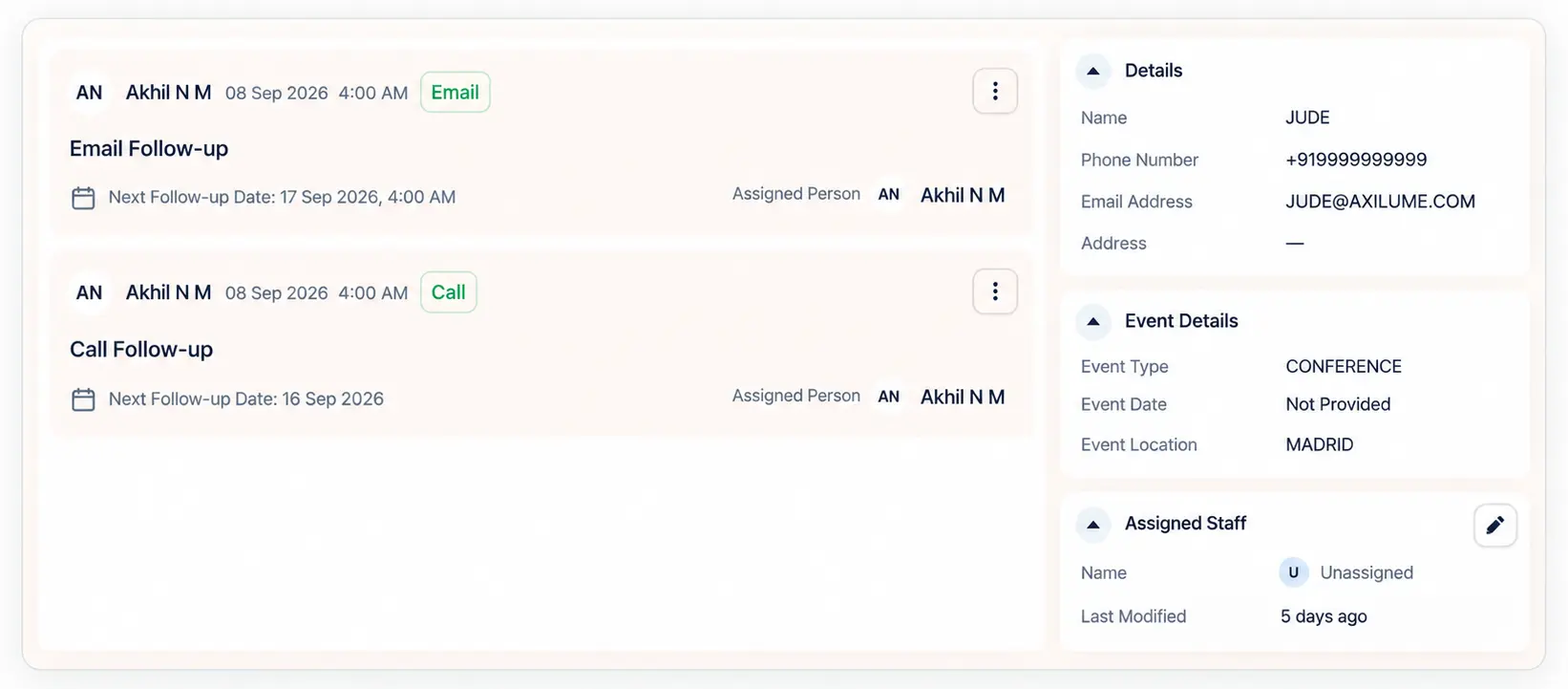
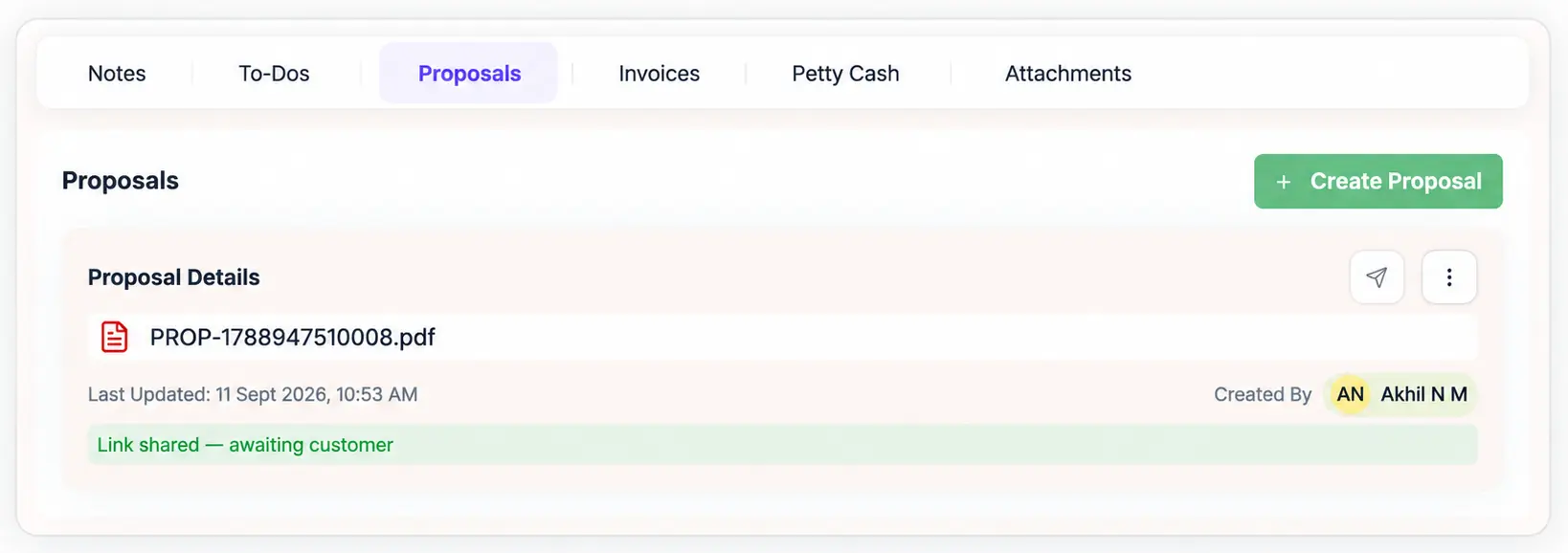
Build and Send Event Proposals
Choose from three ready-made proposal templates and add the services you want to offer. You can send the proposal directly or share a magic link for customers to choose their services and send their selections back. Once you receive their response, you can review it and take the next step.
Build a ProposalAssign and Coordinate Vendors
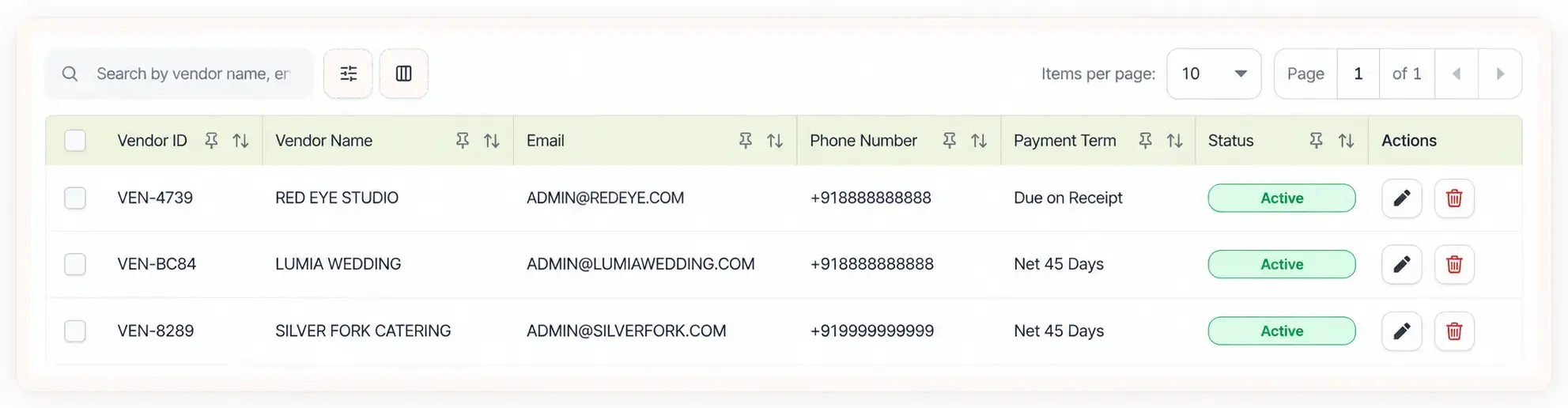
Add the vendors you're working with and assign them to the right events or tasks. Keep their details, costs, and work together as the event comes together. This makes it easier to know who is handling what and stay on track.
Manage Vendors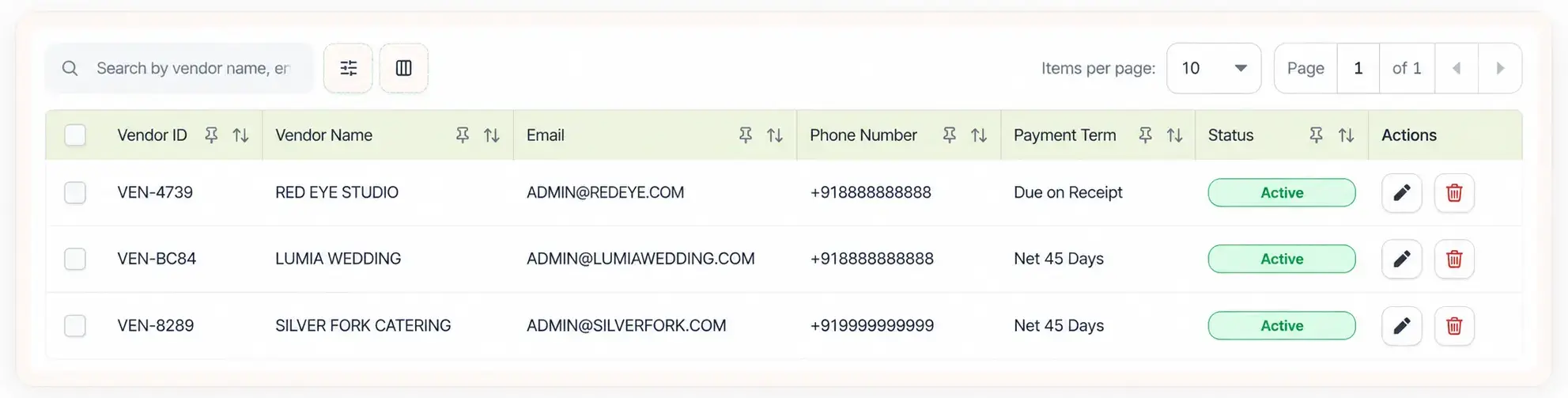
Invoice Clients and Track Payments
Create invoices and record payments as they come in. You can quickly see what has been paid, what is still due, and where a follow-up may be needed. This gives you a simple view of the money coming in for each event.
View InvoicesReview Event Profitability
See what you earned and what you spent on each event. Comparing your income and expenses helps you understand how the event performed. You can then use that information to plan your next event with more confidence.
View Report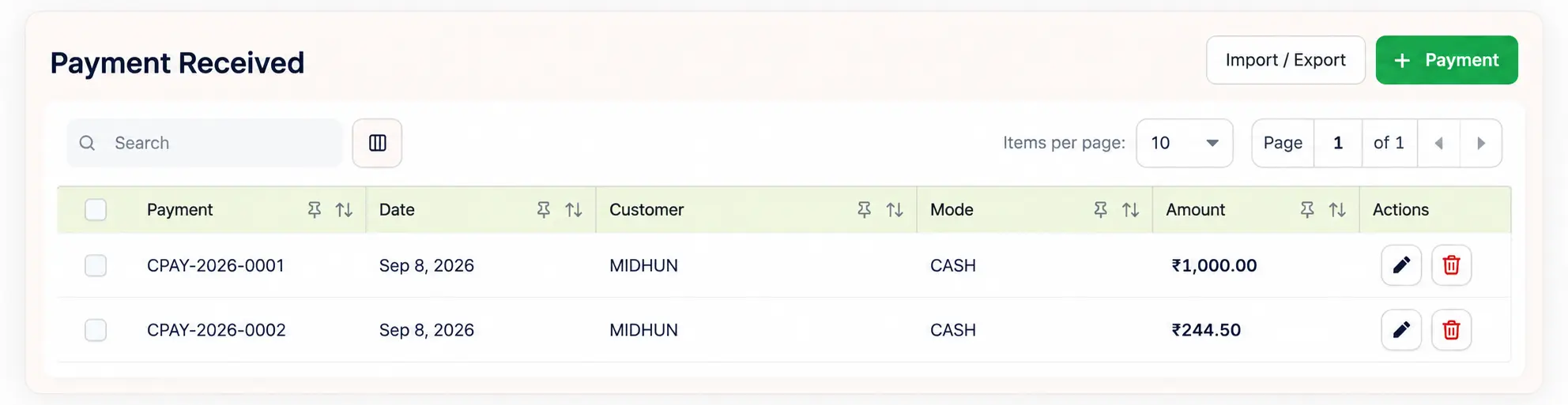
Running Your Agency with Momenza
Managing an event agency means handling many details at once. Momenza brings those everyday tasks together, so you can spend less time looking for information and more time getting the work done.
Without Momenza
- Leads tracked across spreadsheets, emails, or notes
- Client details are spread across different tools
- Proposals created from scratch for each client
- Clients have to go back and forth to share their requirements
- Vendor details and assignments are difficult to follow
- Event schedules and tasks are managed separately
- Invoices are created and tracked manually
- Payment follow-ups are easy to miss
- Event expenses are recorded in different places
- Revenue and costs are difficult to compare
- Team members may not know the latest updates
- Event performance is hard to measure
With Momenza
- Capture and track leads in one place
- Access client details whenever you need them
- Choose from three ready-made proposal templates
- Share a magic link for clients to select services and send their choices
- Assign vendors and track their work in one place
- Manage event tasks and schedules together
- Create invoices and track them in Momenza
- See paid, pending, and due payments clearly
- Track event expenses in one place
- See event income and expenses together
- Give your team access to the information they need
- Review event profitability with clear financial reports
Manage Every
Type
of Event
Your Agency Takes On
FAQs
01 What features does Momenza have, and what should it replace? +
Momenza brings lead management, proposals, client details, vendor coordination, event scheduling, invoicing, payments, expenses, and profitability tracking together. It can reduce the need for separate spreadsheets, proposal tools, invoicing systems, and other scattered tools used to manage these tasks.
02 Can Momenza event management software help manage multiple events simultaneously from a single dashboard? +
Yes. Momenza lets you manage multiple events from one dashboard, so you can check event details, tasks, schedules, vendors, payments, and progress without having to switch between different systems.
03 Is Momenza suitable for agencies that handle weddings, corporate events, and social events? +
The platform is suitable for agencies handling weddings, corporate events, and social events. You can manage client details, proposals, vendors, payments, and event finances for each event in one place.
04 Is Momenza suitable for all types of events? +
Momenza supports different types of events, including weddings, birthdays, corporate events, exhibitions, seminars, conferences, and more.
05 Does event management software support lead tracking, vendor coordination, and proposal management in one place? +
Yes. Event management software can bring lead tracking, vendor coordination, and proposal management together in one place, helping you manage the event workflow from the initial enquiry through execution.
06 Can we track vendor payments, client invoices, and pending balances in Momenza? +
Momenza lets you track vendor payments, client invoices, and pending balances, so you can see what has been paid, what is due, and what still needs attention.
07 Why should an event agency use event management software instead of a generic CRM? +
Event agencies should use event management software instead of a generic CRM because it is built to handle event-specific tasks such as proposals, vendor coordination, scheduling, payments, and event finances. A CRM mainly focuses on leads and client relationships, while event management software covers the wider event workflow.
08 Is event management software better than project management tools for event agencies? +
Event management software is generally better suited to event agencies because it combines task management with event-specific needs such as vendor coordination, proposals, payments, budgeting, and client management. Project management tools can handle tasks and timelines, but often lack the features needed to manage the full event workflow.
09 What should an event planning agency look for before choosing event management software? +
An event planning agency should look for features such as client management, multi-event support, vendor coordination, proposals, invoicing, and reporting. The software should also be easy to use and support the agency as its event workload grows.
10 Can our team collaborate inside the software with role-based access and permissions? +
Yes. Event management software can support team collaboration with role-based access and permissions, allowing owners, admins, and team members to access the features and information relevant to their roles.
11 What kind of onboarding or training is included after signup? +
Momenza provides onboarding support to help teams get familiar with the software after signup. The process covers the main features and workflows, making it easier for your team to get started.